
Making an Adjustable Desk More Comfortable

Desk discomfort is not always caused by the chair. Tight shoulders, a sore upper back or a tired neck can develop because the working height does not suit the person using it. A sit-stand desk allows the surface to move so work can continue in more than one position. That does not make standing for an entire day a target, and it does not remove the need for movement. The useful change is being able to sit for one task, stand for another and alter the arrangement before stiffness becomes the reason to stop. Chair support, screen height and keyboard position still matter throughout the day. Start by checking the seated position. Your feet should rest securely on the floor or on a footrest, while your shoulders remain relaxed and your elbows sit comfortably beside your body. The keyboard should not force the wrists or shoulders upward. Raise the desk only after the chair and monitor have been set for the seated task, then make small adjustments until the standing position feels similarly relaxed. A person who raises the surface but leaves the monitor low may simply trade shoulder strain for neck strain. The desk changes one part of the workstation, not every part at once. The listed height range tells you how low and high the desktop can travel. To judge whether it is useful, measure the height of your chair seat and add the thickness of the desktop, then consider the elbow position you need while seated. Repeat the process for standing, allowing for shoes if they are normally worn at the desk. A taller user may need greater upward travel, while a shorter user may need a low minimum setting. Before buying an adjustable height desk, write down those measurements instead of relying on a general height label or a photograph of the product. Adjustment systems vary in speed, effort and control. Powered frames usually move through buttons or a handset, while manual versions may use a crank or another mechanical control. Frequent changes are easier to carry out when the control is convenient, but an electric motor does not correct a poorly positioned screen or keyboard. Memory buttons can save seated and standing settings, particularly in a shared room. Each user should still check the chair, monitor arm and cable slack after selecting a preset. A stored height is a starting point, not proof that the entire workstation is ready. Stability can change as the desk rises. A frame that feels firm at its lowest setting may show more movement when extended, because the elevated structure has greater leverage. The desktop material, frame design, height and distribution of equipment all affect the result. Check the manufacturer’s stated load capacity and include the weight of monitors, arms, speakers and accessories rather than counting only the computer. Capacity is not the same as surface area. A broad top can hold many objects, yet a crowded or unevenly loaded setup may feel less secure and leave less room for comfortable mouse movement. Safety depends partly on what surrounds the desk. Anti-collision protection may stop or reverse travel after contact with an obstruction, but it is not a substitute for a clear path. Inspect the space below the surface before raising it, especially if a chair, drawer unit or footrest is nearby. Route cables with enough slack for the full movement range and keep connections from pulling against a wall socket. A useful habit is to raise the desk slowly the first time after reconnecting equipment while watching the monitor lead, power strip and any cable loop behind the desktop. The screen and input devices should move with the working surface. A monitor that stays too low can encourage the head to angle downward, while a keyboard left on a fixed lower shelf may make the standing position awkward. If a monitor arm is used, check that its clamp remains secure and that the screen can be repositioned without striking a wall. Shared workstations benefit from separate presets, but users should confirm the actual elbow and eye positions each time. A practical sit stand desk setup includes the chair, display, keyboard, mouse, lighting and cable route, not just the lifting frame. Purchase decisions should reflect the work pattern and the equipment on the surface. Someone who changes height once or twice may find a manual mechanism sufficient, whereas repeated adjustments can make powered control more convenient. Several displays or a heavy desktop call for closer attention to frame capacity and movement at the highest setting. Read the installation and load documents, measure the available floor area and identify where power cables will run before ordering. Then test the seated and standing positions with the actual chair, monitor and keyboard rather than judging comfort from the desk alone.
Outdoor Kitchens in Devon: Practical Design and Installation Advice
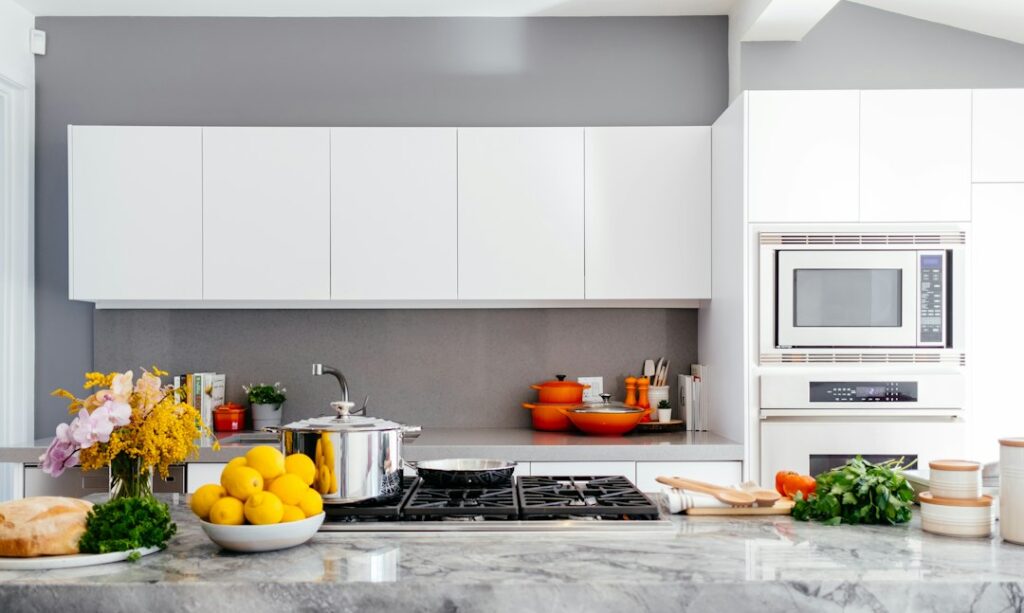
A Devon outdoor kitchen has to do more than provide a place for a barbecue. It needs to cope with rain, damp ground, temperature changes, coastal air in exposed locations and the occasional strong gust. The most successful designs begin with the garden rather than a catalogue image. Position, access, drainage, materials, utilities and shelter all affect the result. A compact cooking area near the back door may suit everyday use better than a large island at the end of the garden. Treating the installation as a permanent cooking space, rather than outdoor furniture, leads to more realistic decisions about construction and maintenance. The required equipment should follow the household’s habits. Someone who grills for two may need only a durable worktop, storage and a suitable cooking appliance, while a family hosting regular meals may benefit from refrigeration, preparation space and useful lighting. The route between the kitchen and the garden matters too. Carrying plates across uneven paving becomes irritating quickly, especially after dark. Examples of outdoor kitchens devon can show how different layouts work, but the final arrangement should reflect the available space, the number of users and the way meals are normally prepared. Weather resistant does not mean immune to weather. It means that the selected materials and fittings are intended to tolerate outdoor exposure when installed and maintained correctly. Cabinet construction, fixings, worktops and appliance finishes all need separate consideration. Stainless steel can be suitable for exposed areas, although its grade and finish still matter, particularly near salt air. Worktops should resist moisture and cope with outdoor temperature changes. A small practical step is to inspect how water leaves the area after heavy rain. If it gathers beside cabinets, the problem should be corrected before installation rather than hidden behind a plinth. Drainage is often missed because it is less visible than the cabinetry. Paving may need a suitable fall, and the base should not trap water against doors, appliance housings or electrical points. Seals can reduce water entry, but they do not replace a sensible drainage route. A canopy improves comfort during a shower, yet it does not remove the need to clear heat, smoke and steam from the cooking area. Grills and other hot appliances need the clearances stated in their instructions, with particular care around timber, fabric and other combustible materials. The canopy design should be considered alongside the appliance, not added later. Gas equipment needs more than a concealed cylinder and a decorative door. Storage, ventilation, pipework and appliance connections should follow the manufacturer’s instructions and applicable safety requirements. A qualified installer can confirm whether the proposed arrangement is suitable. Keep access to controls and shutoff points practical, since they should not be buried behind stored cookware. For an outdoor electrical supply, use equipment intended for external conditions and arrange suitable protection against water and electrical faults. RCD protection can disconnect a circuit when it detects an imbalance, but it does not make indoor appliances or damaged cables safe for outdoor use. Cable routes deserve a site check before cabinets are fixed in place. Cables should be kept away from standing water, sharp edges, heat sources, garden tools and areas where they could be cut during later landscaping. A qualified electrician can assess the existing supply and identify whether the planned appliances can be supported safely. It is useful to keep the appliance specifications and installation instructions together during this stage. A common misunderstanding is that an outdoor socket alone settles the electrical question. The whole circuit, its protection, cable routing and the environment around each connection need consideration. The supporting structure must carry the combined load of cabinetry, worktops, appliances, cookware and food. A terrace that comfortably supports people may still need preparation for a heavy built in unit. Sloping sites require extra care, especially beside retaining walls. Levelling cabinets without checking the paving, wall condition and drainage can lead to movement or water problems later. A site visit should record access for delivery, the position of existing services and the finished floor level. Taking photographs and noting measurements before ordering materials is a simple habit that prevents expensive changes after fabrication has started. Planning should account for colder months as well as summer entertaining. Utensils and ingredients need storage that limits exposure to damp, while appliance covers may be appropriate when equipment is not in use. A nearby refuse bin, task lighting, preparation surface and direct route into the house can be more useful than an extra cooking feature. Maintenance access should remain possible, including space to clean behind or beneath appliances. For further guidance on layout, services and materials, practical outdoor kitchen planning offers a useful starting point, while shelter, access, utilities and exposure still need to be assessed at the individual Devon property.
Cheer Practice Wear Myths That Affect Training

A practice outfit can look athletic and still work poorly for cheer. A flyer who arrives in a stiff cotton shirt, loose leggings, and a sweatshirt tied at her waist may spend warmups pulling at fabric instead of listening to the coach. The issue is not appearance. Repeated jumps, catches, tumbling passes, and quick position changes expose clothing that bunches, slips, or restricts movement. Purpose-built Cheer Practice Wear gives athletes a more practical starting point, provided the fit and coverage suit the session. Cheer Practice Wear cheer uniform care guidance
Church Lighting Needs Careful Planning

A church can have plenty of light and still feel poorly lit. The altar may be exposed while the nave remains dim, a lectern may be legible from one pew but not the next, and a bright fitting may sit directly in a worshipper’s line of sight. These faults usually arise when lighting is specified as a collection of products instead of as part of the building’s visual environment. People need to read, move safely, see faces, follow music and appreciate the architecture. Those activities do not all need the same brightness, direction or colour. Planning should begin with observation, not a catalogue. church lighting lighting controls for churches
Barcode Stickers That Support Reliable Tracking

A box reaches the dispatch bench, the operative scans its label, and the reader rejects it twice. Nothing appears wrong until the surface is examined closely. The print may have weak contrast, a crease may cross the symbol, or the encoded number may not match the order record. Reliable identification depends on more than black marks on adhesive stock. The barcode format, label dimensions, substrate, adhesive, print method and data all need to suit the job. Start by examining where the label will be applied, how often it will be scanned and what information the receiving system expects. barcode stickers barcode printing guidance